Your AI limits and spend,
living in your notch.

Track your Claude Code and Codex CLI usage from your MacBook notch — rate limits and spend, side by side.

A floating macOS overlay that turns the MacBook notch into a Dynamic-Island-style live activity — Claude Code and Codex rate limits, plus what you've actually spent.

Free · Open source · MIT · macOS

i

Lives quietly in the notch.

A pill the size of the physical notch with a slow cobalt glow when collapsed. Click-through everywhere else.

ii

Two screens, one swipe.

Limits on the first page, spend on the second. Trackpad-swipe between them. Each screen shows Claude and Codex side by side.

iii

Local only.

No telemetry. No analytics. Tokens and session logs read from your existing Claude and Codex installs and never leave the machine.

Why this exists

Your provider doesn't tell you you're about to be cut off.

Claude Pro / Max and ChatGPT Plus / Pro both have hidden 5-hour and weekly token windows. Most people only learn they've hit a limit when they get blocked mid-task — and the warning that does fire usually surfaces deep in a CLI log. CodexIsland turns the notch into a living indicator so you always know where you stand.

And the bill is just as quiet. Anthropic and OpenAI don't tell you what today's spend looks like until the invoice. Swipe to the second screen and CodexIsland prices every token from your local session logs — today and month-to-date, side by side with your subscription tier.

i. hover

Hover for the headline. Click to enter.

Hover the notch and a small pill shows each provider's 5-hour usage and reset — '32% · 2h'. Click to expand the full panel with both 5h and 7d windows. Bumping past on the way to a menu bar item won't pop it open anymore.

ii. idle

Out of your way until you need it.

A black pill the size of the physical notch with a slow cobalt glow when collapsed. Click-through everywhere else — the window only steals focus when the cursor is over the visible silhouette.

The notch sitting quietly in the macOS menu bar
iii. charts

Five chart styles. Pick the one that reads.

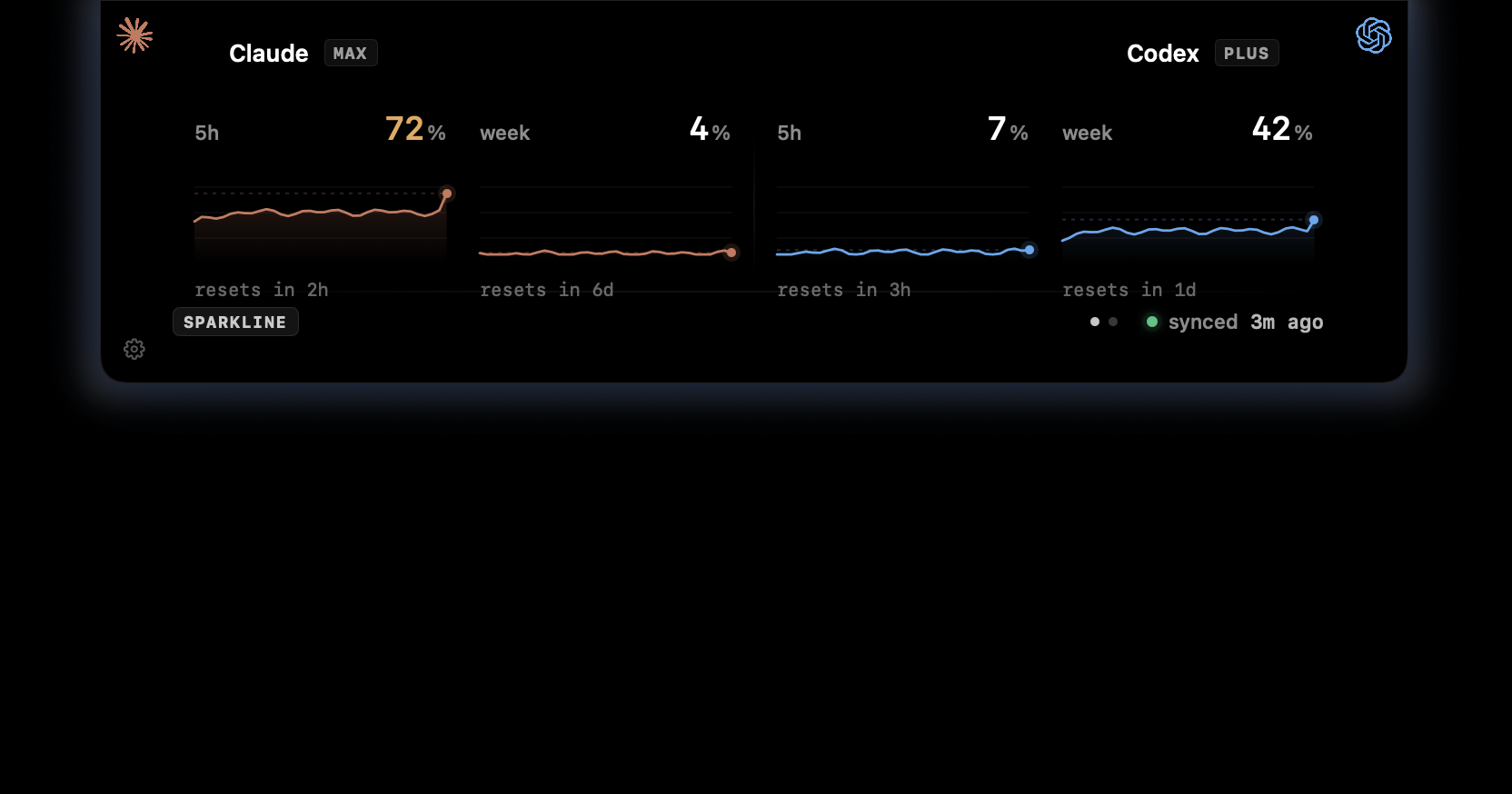
Ring · Bar · Stepped · Numeric · Sparkline. Cmd-click anywhere on the panel to cycle. The data is window-based — pick the shape that matches how you read it.

Ring
Bar
Stepped
Sparkline
iv. cost

Spend, side-by-side with the limits.

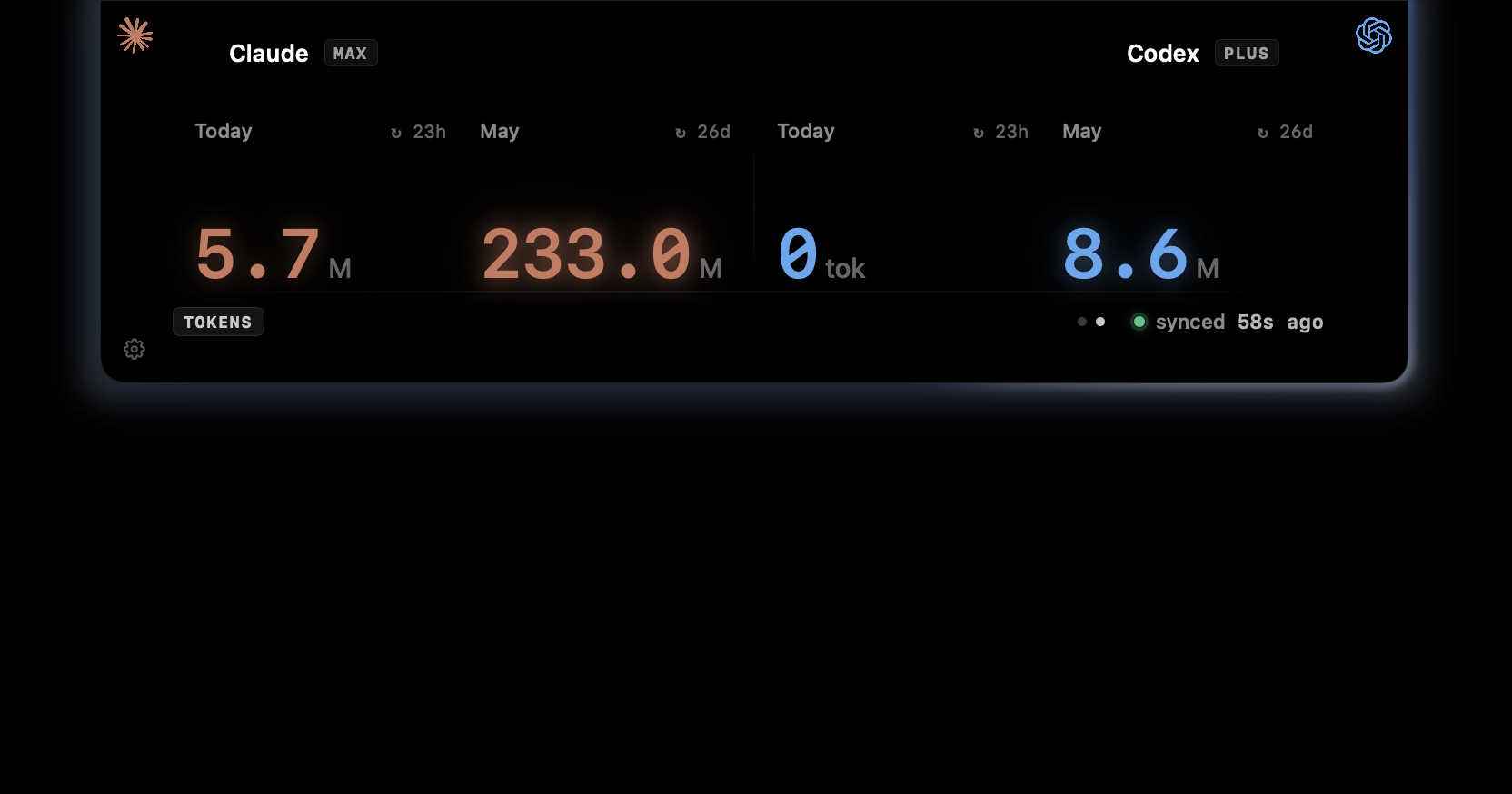
Swipe right and the second screen shows today's and this month's spend per provider, scanned from your local session logs. Cmd-click cycles four styles — USD, Value, Tokens, Trend. Value mode draws Plan $200 next to You $1,510 as a bar chart, so you know exactly how much value you're extracting from your subscription.

USD
$146.61
Value
$200
Tokens
211M
Trend
Privacy

Your tokens never leave your machine.

No telemetry. No analytics. No crash reporting. Auth tokens are read locally from ~/.codex/auth.json, the macOS keychain, or the CLAUDE_CODE_OAUTH_TOKEN env var — and travel only as Authorization headers to the providers themselves. Session logs powering the cost screen are read in-process from your existing Claude and Codex installs and never leave the machine either.

Read the fetcher →
Install

One line. Or drag and drop.

macOS · Apple Silicon and Intel.

$brew install --cask ericjypark/tap/codexisland

Or grab the .dmg from Releases and run:

$xattr -d com.apple.quarantine /Applications/CodexIsland.app
FAQ

Questions, answered honestly.

Why is it unsigned?
Apple charges $99/year for a Developer ID and CodexIsland is free. The unsigned route is normal for OSS Mac apps. If you'd like to sponsor a signed build, GitHub Sponsors is open.
Will it break when Anthropic or OpenAI change their APIs?
Yes. Both endpoints are undocumented. File an issue and the User-Agent / beta header / parser will be updated.
Why 5-minute polling?
5 minutes is the floor — Settings lets you bump it to 15m or 30m. Anthropic rate-limits the usage endpoint aggressively per token; 30-second polling burns the daily quota in an afternoon and the window-based data has nothing to show for itself except a 429.
How does it know what I've spent?
It reads the session logs Claude Code and Codex CLI already write to ~/.claude/projects/ and ~/.codex/sessions/, then prices each token event against an embedded pricing snapshot. No upload, no calls to any billing endpoint — the math is local.
What's the ⚠ unpriced warning on the cost screen?
If a session log references a model that isn't in the embedded pricing snapshot — usually a brand-new release or a preview — CodexIsland counts the tokens but can't translate them to dollars. The total stays an undercount until the next release ships an updated snapshot. The warning shows how many models in the current window are affected.
How do updates get delivered?
The app embeds Sparkle and checks an appcast attached to the latest GitHub Release on launch and once a day. New versions are signed with an EdDSA key — verified end-to-end before installing — so an unsigned-by-Apple build still gets cryptographically authenticated updates. Toggle the auto-check off in Settings if you want to pin a version.
Does it work on a Mac without a notch?
Yes. Falls back to a 200×28 pill in the menu-bar area. The notch is the visual anchor, not a hard requirement.
Why does Claude show "auth required"?
Run claude once on the command line, or open Claude Desktop. Either populates the credentials CodexIsland reads.