Usage overviewOverview

Choose the view that matches how you code.

CodexIsland is one Mac app with a few different ways in. Start from Claude if that is where you are blocked, from Codex if that is where the session is running, or from the combined view if you move between both.

Useful when

You use Claude Code, Codex CLI, or both on macOS and want the limit signal visible before it interrupts the task.

Claude when the current window is getting tightCodex when a terminal session is still runningCost estimates when tokens matter more than allowanceBoth providers when you are deciding where to continue
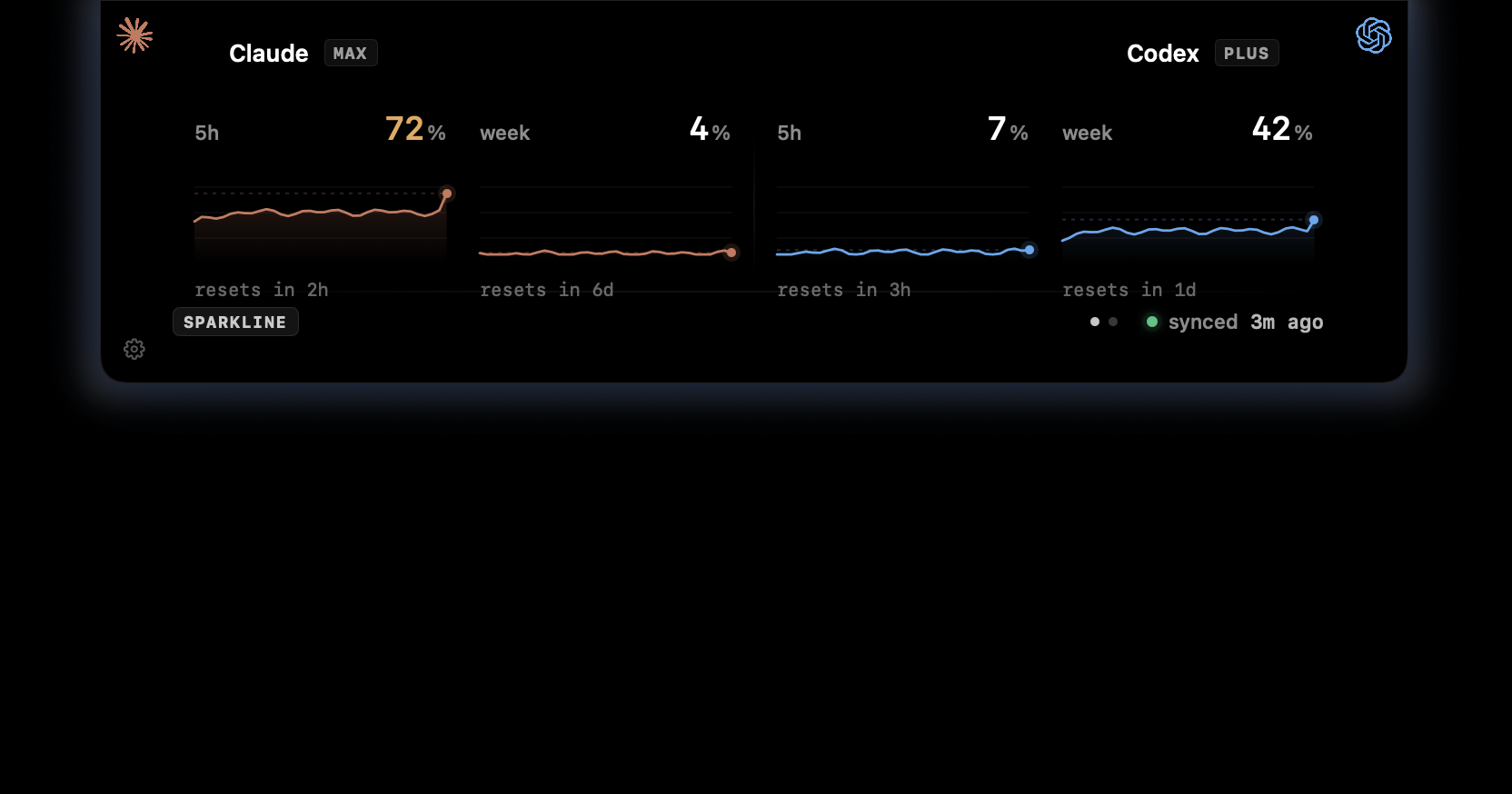
CodexIsland usage panel showing Claude and Codex usage windows.

Start from the moment you are in.

The app stays the same. The entry point changes depending on what you are trying to decide: keep going, wait for a reset, switch tools, or check whether a long run is moving a lot of tokens.

  • Claude when the next prompt might hit a wall.
  • Claude resets when timing matters more than percentage.
  • Codex when you want the terminal session reflected in the notch.
  • The combined Mac view when you use both tools in the same day.

The product remains one quiet surface.

These views are not separate apps or dashboards. They are different ways to explain the same CodexIsland behavior: a small notch surface that keeps usage and cost context near the work.

  • Claude views focus on session pressure and reset timing.
  • Codex views focus on local CLI sessions and spend.
  • The combined view is for switching between providers.
  • Every path leads back to the same install.
In practice

Less checking. More context.

Need
Manual path
With CodexIsland
Best entry point
Piece together provider docs, CLI messages, and local files.
Start from the workflow you are in, then use the same Mac app.
Daily use
Remember to check the active tool before it blocks you.
Keep the status near the notch while you move through the day.
Provider notes

Limits change. The app follows what your tools expose.

CodexIsland does not promise fixed provider quotas. It reads the available local usage context and keeps that signal close while you work.

FAQ

Common questions.

How do I track Claude Code usage on Mac?

You can run Claude Code's built-in usage checks when you need a manual snapshot. CodexIsland adds a persistent Mac notch display so the session and weekly usage signal stays visible while you work.

How do I see when my Claude Code limit resets?

Claude Code shows reset timing when limits are reached and through its usage surfaces. CodexIsland is built to keep reset context near the current usage window so you can plan before the limit interrupts a task.

Can I track Claude Code and Codex CLI usage together?

Yes. CodexIsland shows Claude and Codex side by side, with a limits screen for usage windows and a cost screen for local token spend estimates.

Install

Start tracking from the notch.

Free, open-source, local-first, and built for macOS.

$brew install --cask ericjypark/tap/codexisland

Download CodexIsland-0.1.6.dmg — or browse all releases. Then run this once to clear the quarantine bit:

$xattr -d com.apple.quarantine /Applications/CodexIsland.app