Usage overviewClaude Code resets

Plan around Claude Code resets before they stop you.

When a Claude Code session stops on a limit, the cost is the broken flow. CodexIsland keeps the reset context visible so the next decision is calmer: continue, wait, or switch to another tool.

Useful when

You run long Claude Code sessions and need to know whether the current window can survive one more meaningful task.

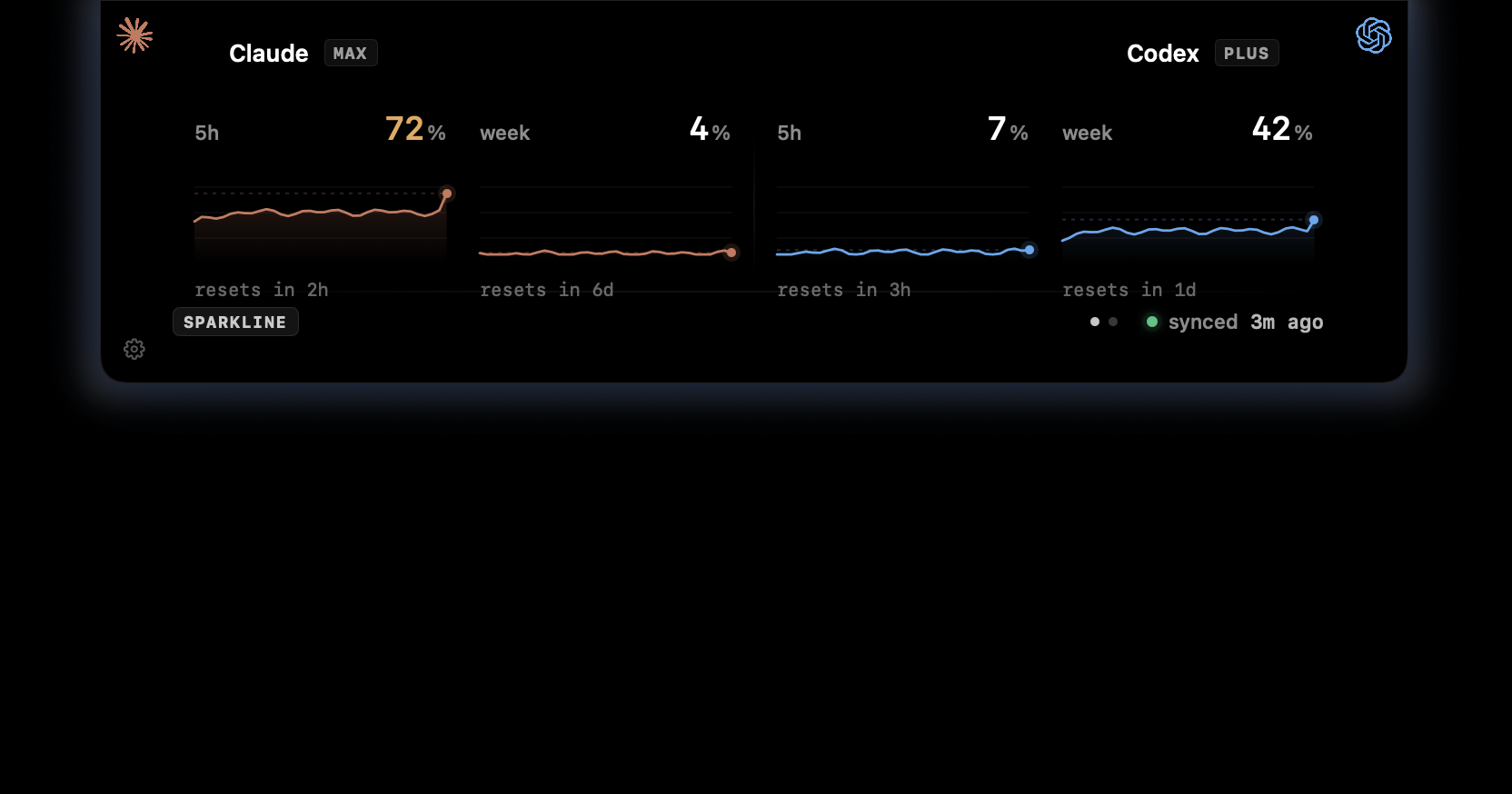
Current Claude pressureReset timingWeekly contextClaude and Codex side by side
CodexIsland usage panel showing Claude and Codex usage windows.

The question is usually timing.

A limit message is useful, but it arrives after the decision. Before you ask Claude Code to inspect a repo or hold a larger context, you need a quick read on whether the window is comfortable.

  • See whether the active window is comfortable.
  • Keep reset timing outside the terminal.
  • Compare Claude and Codex before switching tools.
  • Open the panel for short-window and weekly context.

Built for coding flow, not quota spreadsheets.

CodexIsland stays collapsed until you hover the notch. The reset signal is there when you need it, without turning the desktop into a monitoring console.

  • Collapsed notch pill for ambient status.
  • Expanded panel when you need details.
  • Chart modes for percentage, trend, or numbers.
  • Local-only reads for usage and token-spend history.
In practice

Less checking. More context.

Need
Manual path
With CodexIsland
Before a long task
Guess based on the last CLI message you remember.
Check the notch pill before starting the task.
After a limit
Wait until the reset time shown in Claude Code.
Keep the reset context visible while you work elsewhere.
Fallback planning
Open another provider and discover its status separately.
Show Claude and Codex side by side in the same panel.
Provider notes

Limits change. The app follows what your tools expose.

CodexIsland does not promise fixed provider quotas. It reads the available local usage context and keeps that signal close while you work.

FAQ

Common questions.

How do I see my Claude Code 5-hour reset time?

Claude Code exposes reset timing through its own usage and limit surfaces. CodexIsland keeps that reset context visible beside the current usage window so it is easier to plan around.

Can CodexIsland prevent Claude Code rate limits?

No. It cannot change Anthropic's limits. It helps you see usage pressure earlier so you can decide whether to continue, wait, or switch tools.

Why not just use Claude Code /usage?

The CLI command is useful for a manual check. CodexIsland is for persistent desktop awareness, especially when you are moving between terminal, editor, browser, and GitHub.

Does CodexIsland show weekly Claude usage too?

Yes. The expanded limits panel is designed to show short-window and weekly context together.

Install

Start tracking from the notch.

Free, open-source, local-first, and built for macOS.

$brew install --cask ericjypark/tap/codexisland

Download CodexIsland-0.1.6.dmg — or browse all releases. Then run this once to clear the quarantine bit:

$xattr -d com.apple.quarantine /Applications/CodexIsland.app