Usage overviewCodex resets

Know whether Codex has room for one more task.

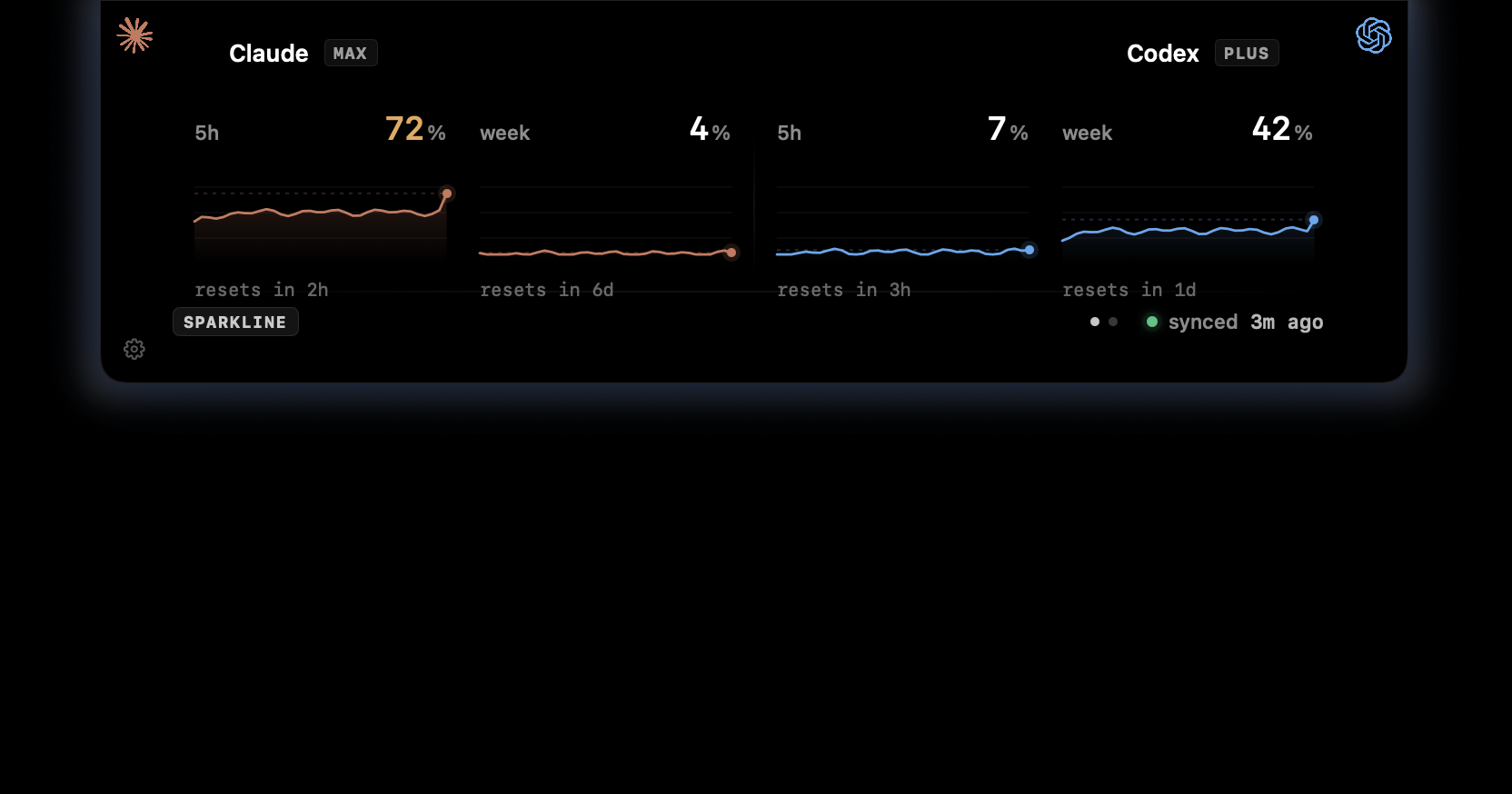
The practical question is simple: keep going now, wait for the next window, or move the next step to Claude. CodexIsland keeps that context near the notch while you keep working.

Useful when

You plan Codex sessions around reset periods, usage pressure, and local token cost.

Codex reset contextCurrent usage pressureLocal Codex spendClaude as the alternate lane
CodexIsland usage panel showing Claude and Codex usage windows.

Reset context should answer the next move.

A reset time matters because it changes what you do next. The notch panel keeps that decision close without asking you to open another dashboard.

  • Keep Codex reset context outside the terminal.
  • Compare Codex and Claude before switching tools.
  • Use spend estimates to separate quota pressure from cost pressure.
  • Keep local coding activity on the Mac.

Designed for mixed Claude and Codex workflows.

Many coding sessions move between tools. CodexIsland treats reset context as part of that workflow, not as a single-provider meter.

  • Two providers in one notch panel.
  • Quick hover state for the headline numbers.
  • Expanded charts when you need detail.
  • Local session history for cost estimates.
In practice

Less checking. More context.

Need
Manual path
With CodexIsland
Reset planning
Keep checking the active tool or wait for a banner.
Use the notch panel as the always-near reset surface.
Provider switching
Open Claude and Codex separately to compare pressure.
Read both providers in one small panel.
Local privacy
Use an external tracker or export data manually.
Read session data locally on the Mac.
Provider notes

Limits change. The app follows what your tools expose.

CodexIsland does not promise fixed provider quotas. It reads the available local usage context and keeps that signal close while you work.

FAQ

Common questions.

How do I check when my Codex limit resets?

Codex limits and reset behavior depend on your plan and how you use Codex. CodexIsland is designed to keep the available reset and usage context visible from the Mac notch.

Can CodexIsland reset my Codex usage limit?

No. It cannot reset or bypass provider limits. It only helps you track usage pressure and plan around the next available window.

What should I do when Codex is near its limit?

The useful decision is whether to keep using Codex, wait for the next window, or switch to Claude for the next smaller task. CodexIsland shows both providers together to make that decision easier.

Install

Start tracking from the notch.

Free, open-source, local-first, and built for macOS.

$brew install --cask ericjypark/tap/codexisland

Download CodexIsland-0.1.6.dmg — or browse all releases. Then run this once to clear the quarantine bit:

$xattr -d com.apple.quarantine /Applications/CodexIsland.app