Usage overviewCodex CLI

See Codex CLI usage without leaving your flow.

Codex often runs in a terminal while the rest of the work happens elsewhere. CodexIsland keeps usage context and local cost estimates visible from the notch so you do not have to keep checking a separate place.

Useful when

You use Codex CLI on macOS and want usage and spend context without building your own parser around session files.

Codex session contextReset-window contextDaily and monthly spend estimatesClaude beside Codex when you use both
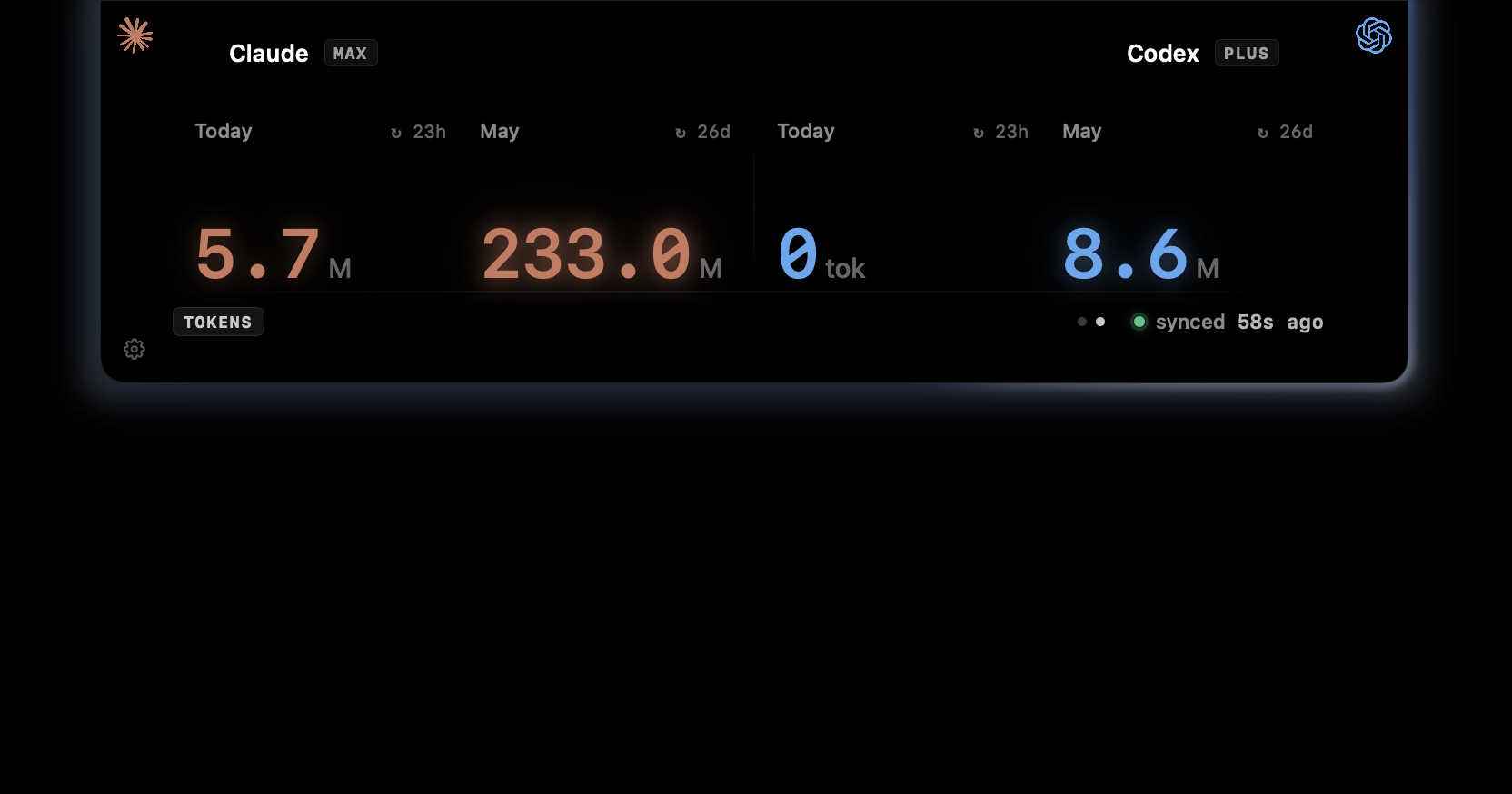
CodexIsland cost panel showing daily and monthly token usage.

Codex usage depends on the work you give it.

Small edits and long-running repository tasks do not feel the same. CodexIsland keeps the local session context close to the desktop, so the status follows the work instead of living after the fact.

  • Estimate cost from local Codex session history.
  • Keep Codex visible beside Claude when you switch tools.
  • Show daily and month-to-date spend in the same panel.
  • Avoid cloud sync or a separate hosted dashboard.

A Mac status surface fits the CLI workflow.

Codex already lives in your development loop. CodexIsland stays in the notch so the terminal, editor, browser, and GitHub can keep focus.

  • Collapsed pill for ambient status.
  • Expanded panel for provider detail.
  • Spend screen for token and dollar estimates.
  • Universal macOS build for Apple Silicon and Intel Macs.
In practice

Less checking. More context.

Need
Manual path
With CodexIsland
Usage visibility
Check provider surfaces or inspect local files after the fact.
Show Codex status in the notch while you work.
Cost awareness
Wait for billing pages, export logs, or write your own parser.
Estimate spend from local Codex session logs.
Multi-provider context
Track Claude and Codex in separate places.
Display Claude and Codex side by side.
Provider notes

Limits change. The app follows what your tools expose.

CodexIsland does not promise fixed provider quotas. It reads the available local usage context and keeps that signal close while you work.

FAQ

Common questions.

How do I track Codex CLI usage on Mac?

CodexIsland adds a local Mac status surface for Codex usage context and spend estimates, so you do not have to build your own parser around local session files.

Can it estimate Codex CLI token spend?

Yes. The cost screen reads local Codex session history and estimates daily and month-to-date spend from token events.

Can I compare Codex CLI and Claude Code usage in one place?

Yes. The limits and cost screens show Codex and Claude side by side, which is useful when you switch between both tools during the same coding session.

Install

Start tracking from the notch.

Free, open-source, local-first, and built for macOS.

$brew install --cask ericjypark/tap/codexisland

Download CodexIsland-0.1.6.dmg — or browse all releases. Then run this once to clear the quarantine bit:

$xattr -d com.apple.quarantine /Applications/CodexIsland.app