Usage overviewClaude Code

Keep Claude Code usage in sight.

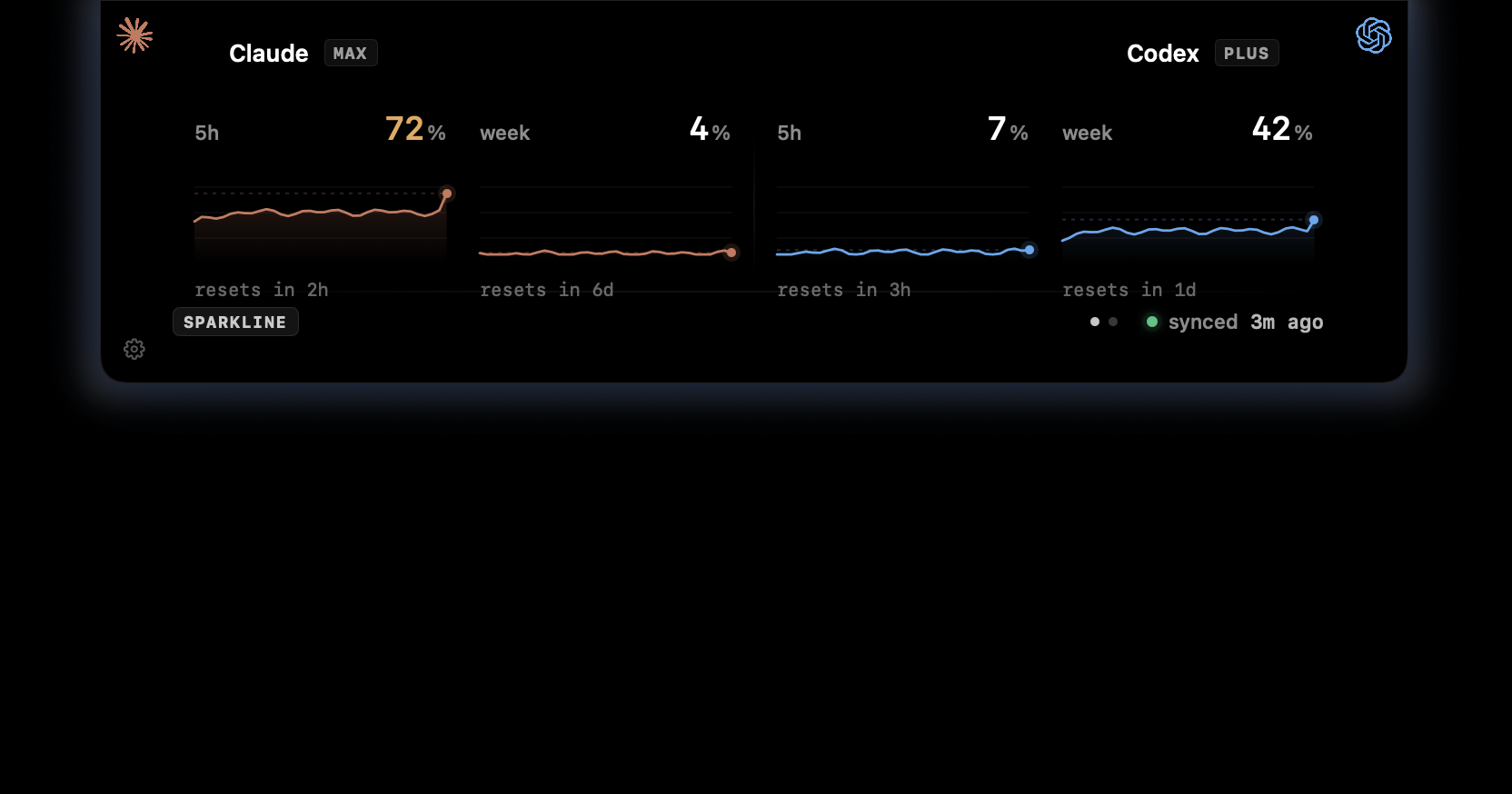
Claude Code is easiest to manage before the limit message appears. CodexIsland keeps the current window, reset context, and local cost estimates close enough to glance at while you stay in the editor or terminal.

Useful when

You rely on Claude Code for real coding sessions and do not want the first usage signal to be an interruption.

Current Claude windowWeekly contextReset timing beside the statusLocal Claude token spend
CodexIsland usage panel showing Claude and Codex usage windows.

The useful signal is the one you see early.

Claude Code can surface usage in the CLI, but that is easy to miss when you are bouncing between editor, browser, terminal, and GitHub. CodexIsland turns that context into a quiet status surface instead of another thing to remember.

  • Session pressure before a long prompt.
  • Reset timing next to the current window.
  • Weekly context when a coding run stretches out.
  • Spend estimates from local session history.

It stays with the workflow.

CodexIsland is not a Claude Code replacement. It is a small Mac surface for the context Claude users keep needing while they work.

  • Hover for a quick Claude and Codex status pill.
  • Click for the expanded limits panel.
  • Swipe to see local token-cost estimates.
  • No CodexIsland account or proxy service.
In practice

Less checking. More context.

Need
Manual path
With CodexIsland
Usage check
Run a Claude Code command or wait for a usage-limit message.
Keep a persistent notch indicator visible while you work.
Reset timing
Read the reset time only when the CLI surfaces it.
Show reset context next to the current usage window.
Spend view
Inspect local logs or wait for provider billing pages.
Estimate daily and month-to-date spend from local session logs.
Provider notes

Limits change. The app follows what your tools expose.

CodexIsland does not promise fixed provider quotas. It reads the available local usage context and keeps that signal close while you work.

FAQ

Common questions.

How do I monitor Claude Code usage without running /usage every time?

CodexIsland keeps the current Claude Code usage signal in the Mac notch so you can glance at it while your editor, terminal, or browser has focus.

Does CodexIsland upload my Claude Code logs?

No. Session logs are read locally to estimate usage and token cost, and CodexIsland does not run a proxy or cloud sync service.

Can it warn me before Claude Code interrupts a task?

It is built to make session and weekly pressure visible earlier, before the CLI limit message becomes the first warning you notice.

Install

Start tracking from the notch.

Free, open-source, local-first, and built for macOS.

$brew install --cask ericjypark/tap/codexisland

Download CodexIsland-0.1.6.dmg — or browse all releases. Then run this once to clear the quarantine bit:

$xattr -d com.apple.quarantine /Applications/CodexIsland.app